-(2).png)
Downloading Previously Sent Usage Stats Reports
Updated for 2026-27
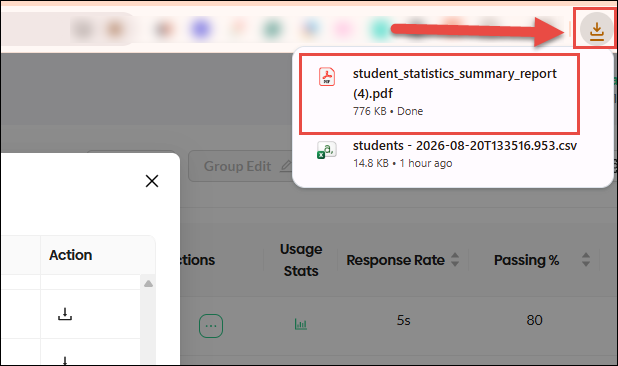
Individual and group statistics reports (in CSV or PDF format), Parent Reports, Assessment Reports, and Student Login Cards are made available soon after you click the export icon. You will see a pop-up notification when the document is ready.
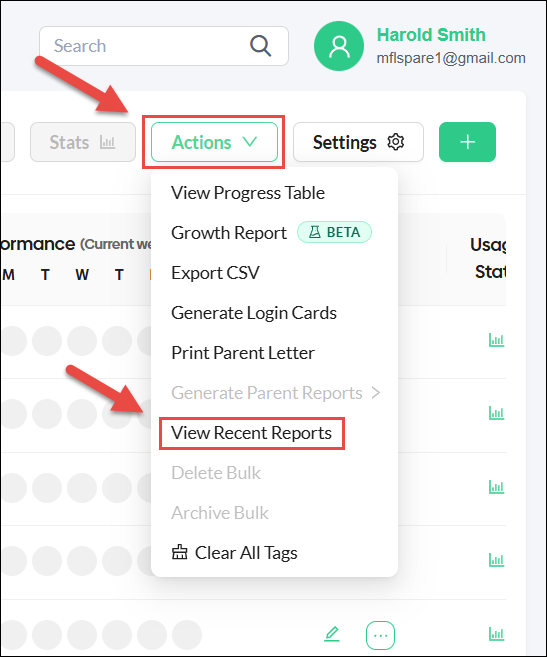
If you wish to retrieve these documents at a later date, select View Recent Reports from the Actions menu. Reports will remain available for 30 days after the initial request.
Click on the Export Icon in the Recent Reports menu for the document you wish to retrieve.
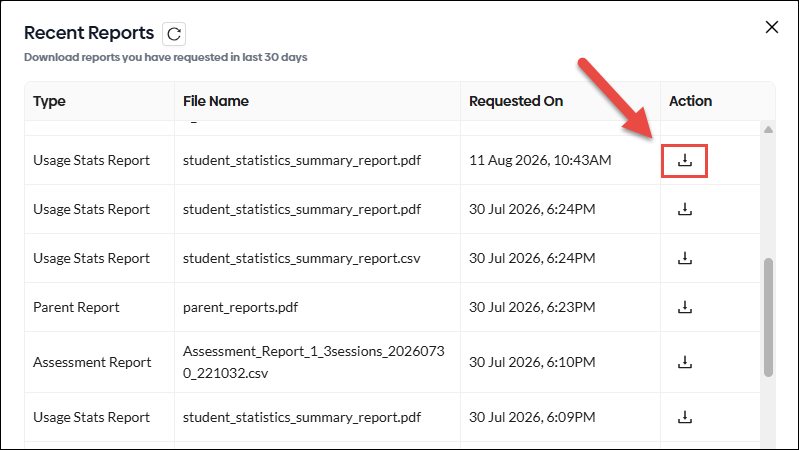
There may be a short delay before the most recently exported reports are available using this method.