-(2).png)
Where to Find Class Codes (Teacher or Manually Rostered School/District Plans)
This document is for individuals with teacher plans or teachers or administrators who have a manually rostered school or district plan.
You can find the class codes connected to your account in multiple ways.
Classes Tab
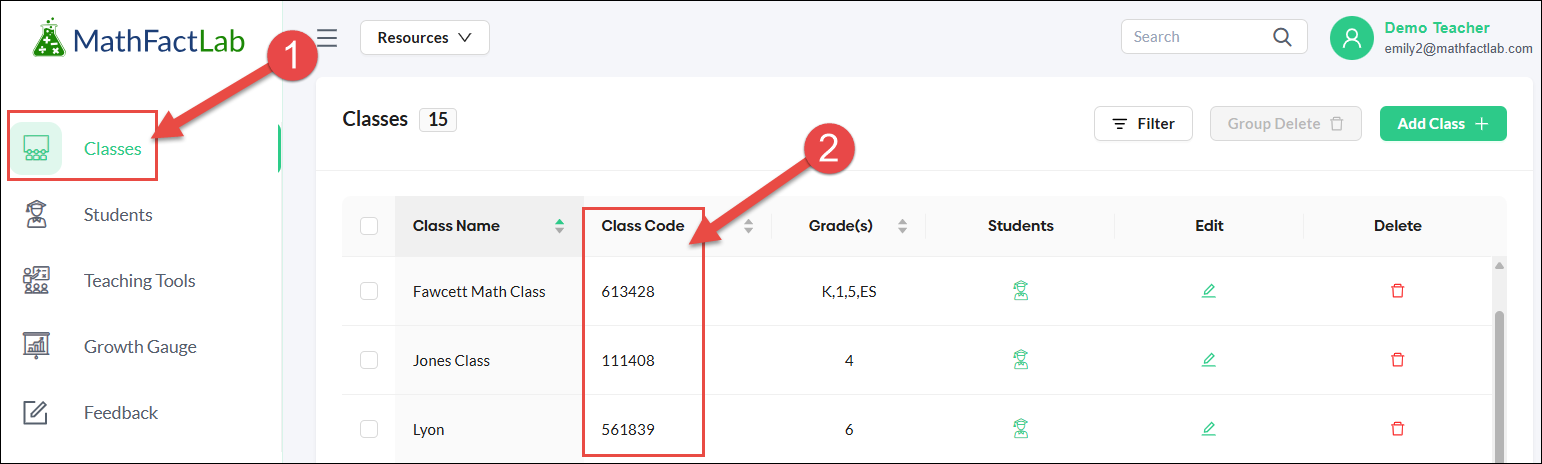
- Select the Classes tab on your teacher dashboard.
- You will find the class codes for all of your classes in the 'Class Code' column.
Students tab
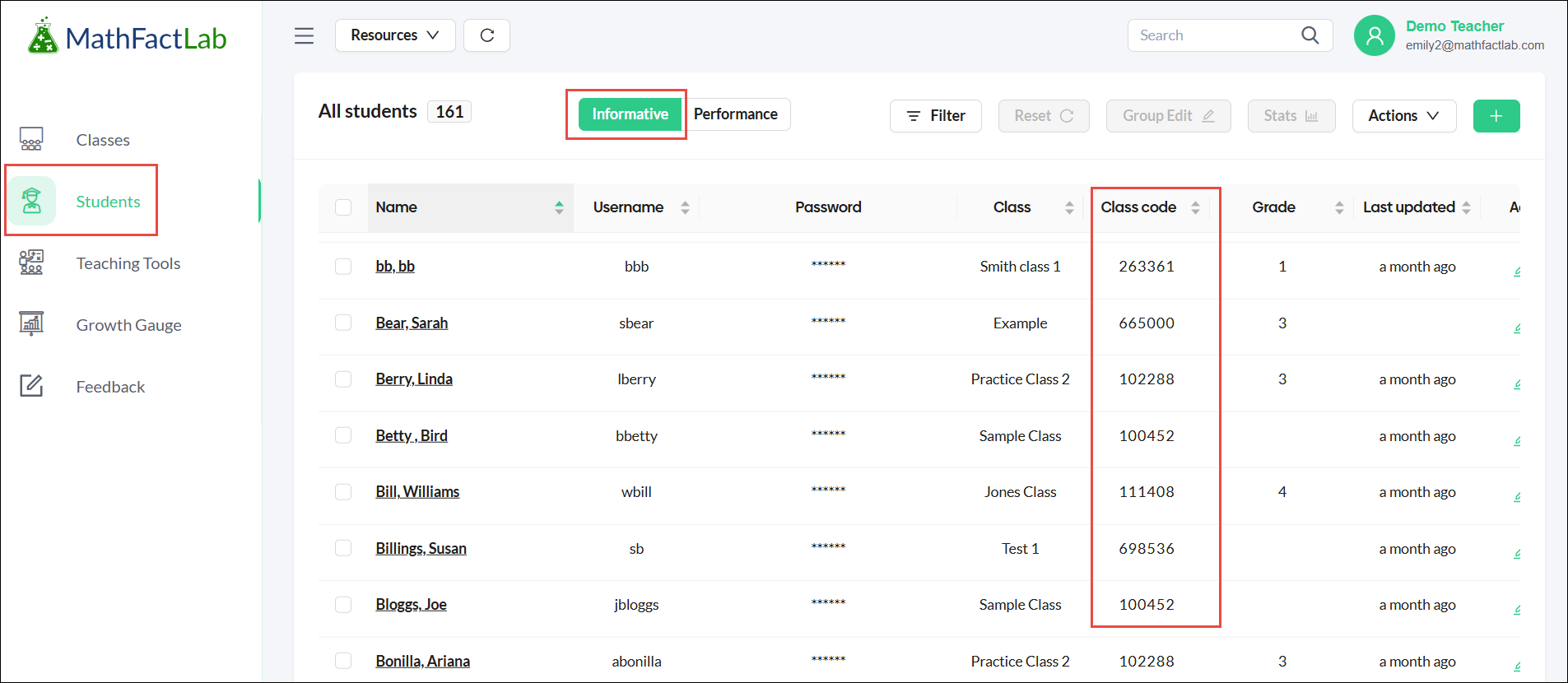
On the Informative side of the Students tab, you will find a class code column for each student.
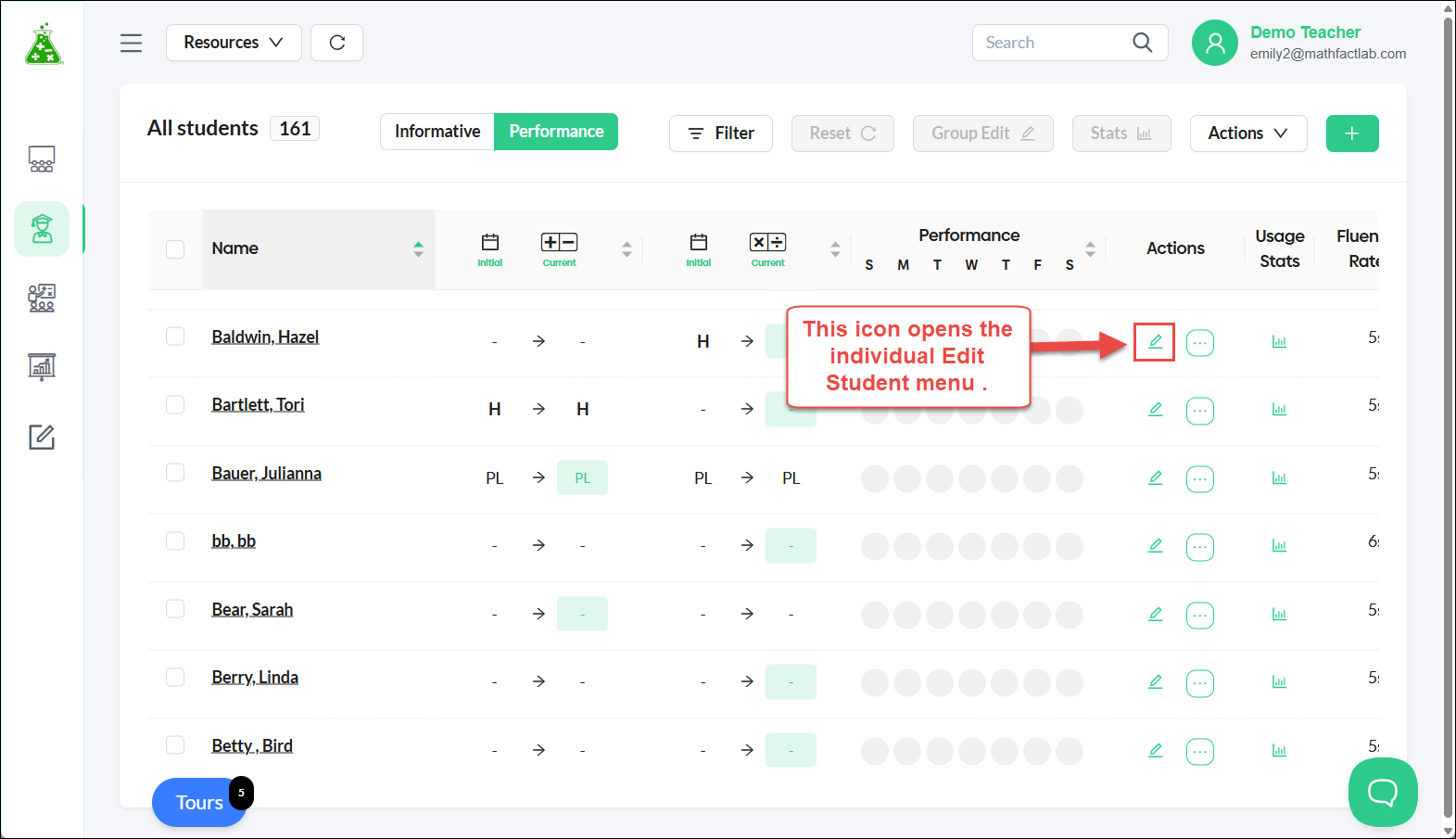
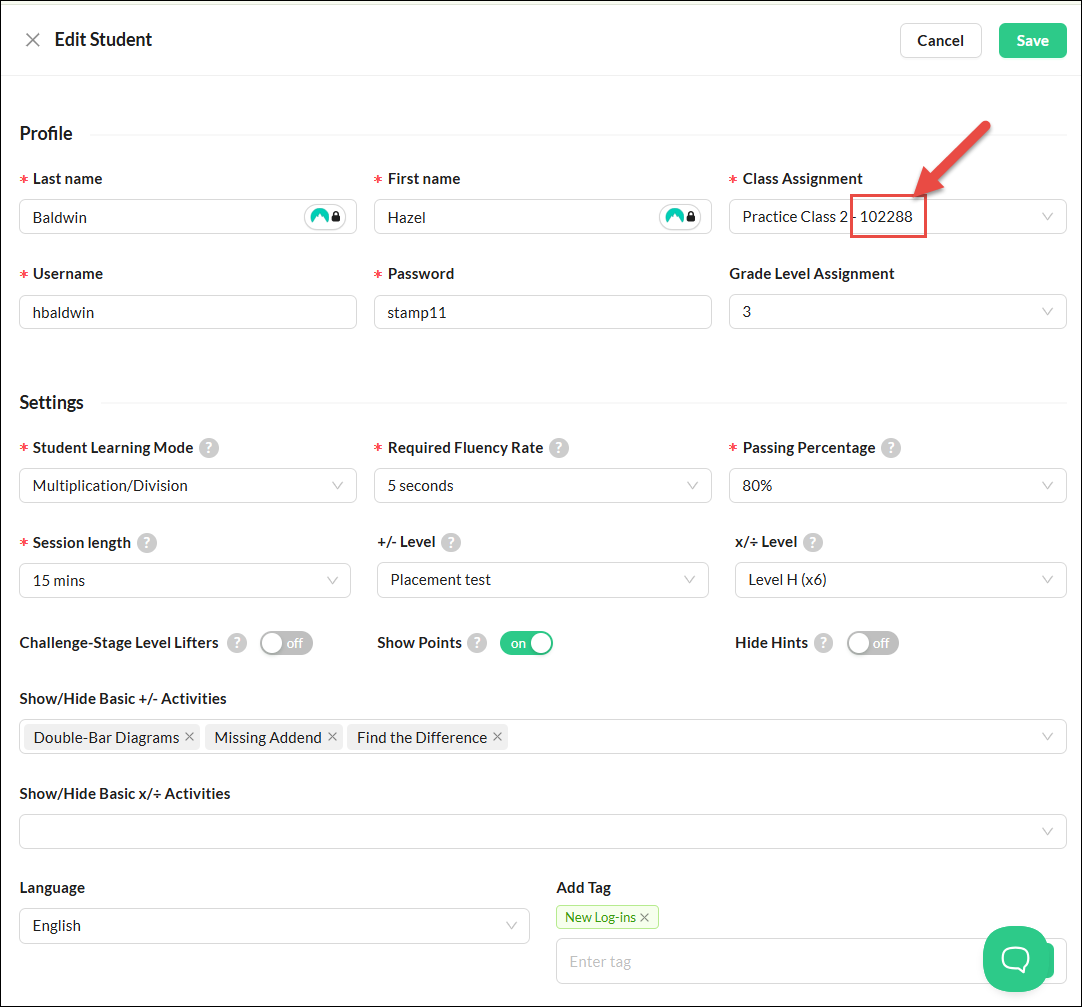
The 'Edit Student' menu shows the class number for an individual student.
@zoho