-(2).png)
Teacher Dashboard Updates for 2026-27
The MathFactLab teacher dashboard includes several updates for the 2026–27 school year. Below is a summary of each update, along with links to more detailed information.
- Available Tabs
- Growth Report
- The Performance Side of the Students Tab
- Progress Monitoring Tool
- Notifications
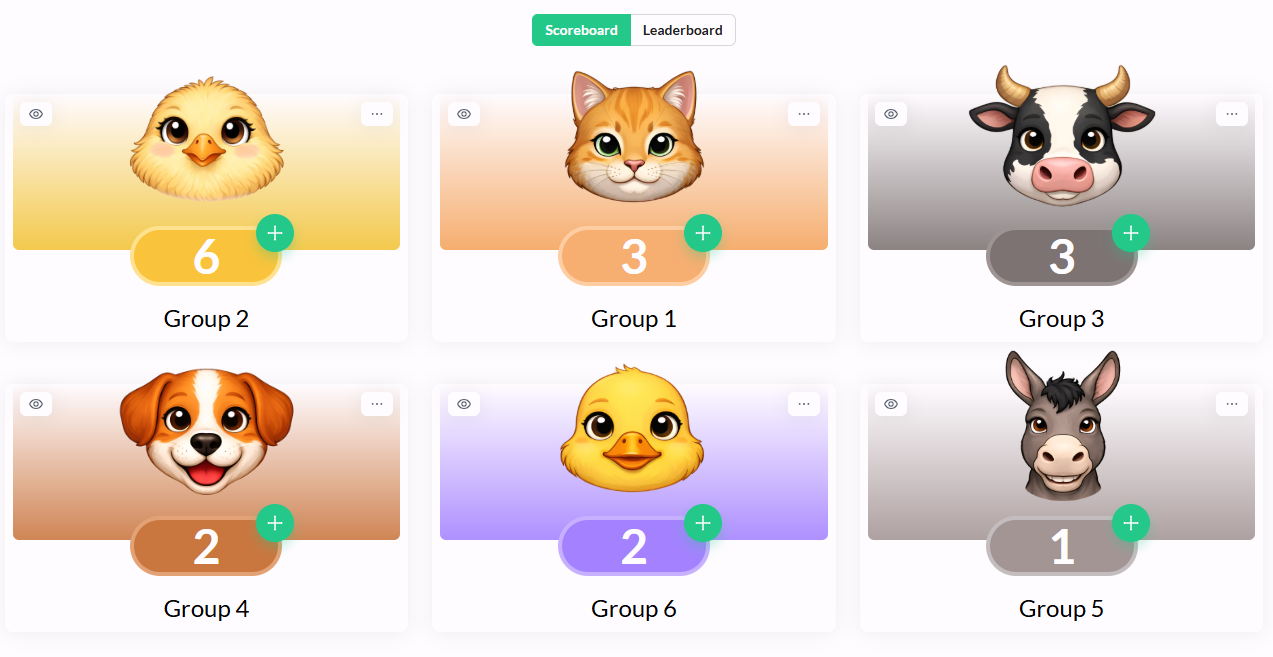
- Checkmark Challenge
Available Tabs
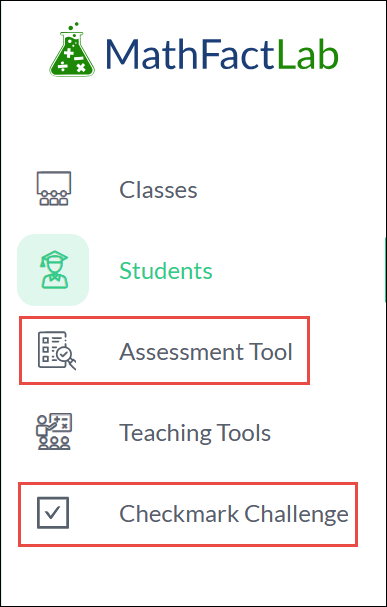
Teachers now have access to two new tabs: the Assessment Tool and Checkmark Challenge. The Growth Gauge and Feedback tabs have been removed.
The Growth Gauge is currently in Beta, the Assessment Tool will be ready early in the school year, and the Checkmark Challenge will be available soon after.
The Assessment Tool allows teachers to measure students’ math fact fluency at selected points throughout the school year. The Checkmark Challenge gives students opportunities to work together toward shared goals, compete with other groups or classes, and demonstrate their progress in math fact fluency.
Growth Report
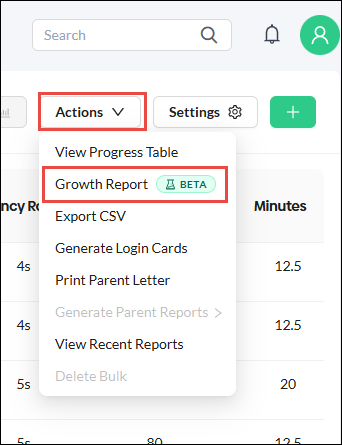
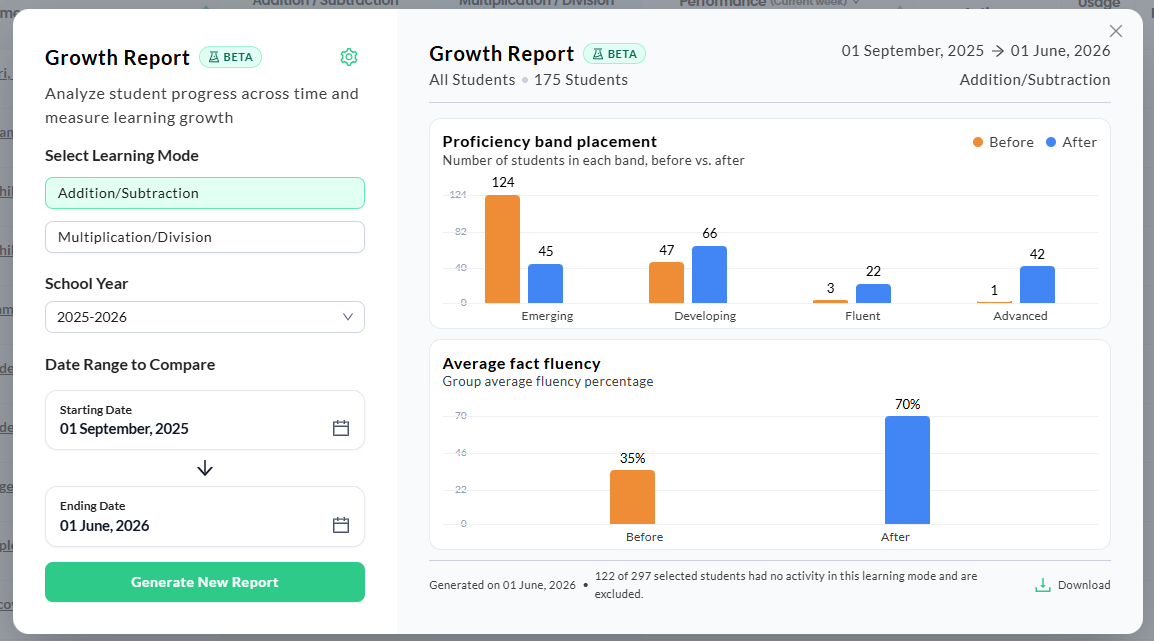
The Growth Report replaces the Growth Gauge. It summarizes data for a selected group of students and generates two bar graphs showing their progress over a specified date range. The completed report can be downloaded as a one-page PDF.
The Growth Report is currently in Beta.
|
|
|
The Performance Side of the Students Tab
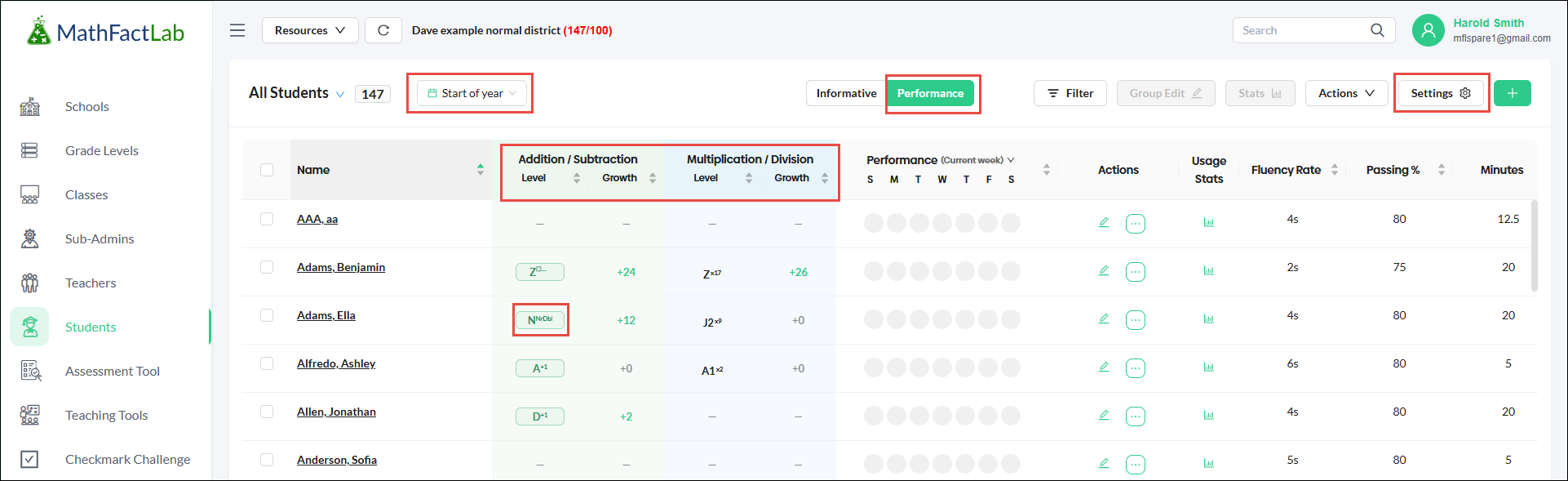
Student Growth
The Performance view of the Students tab now displays each student’s Current Level and Growth, rather than their initial and current levels. Growth shows the number of levels the student has advanced since the selected starting point, with Start of Year selected by default.
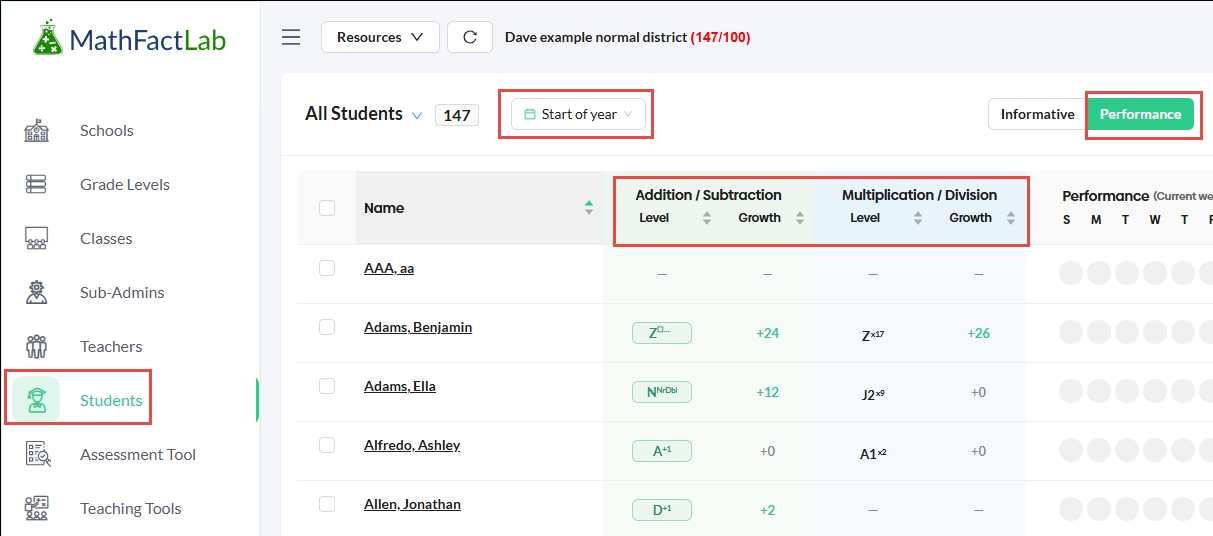
Weekly Performance Chart Expanded
The Performance during the week column now has the option for seeing the Previous week as well.
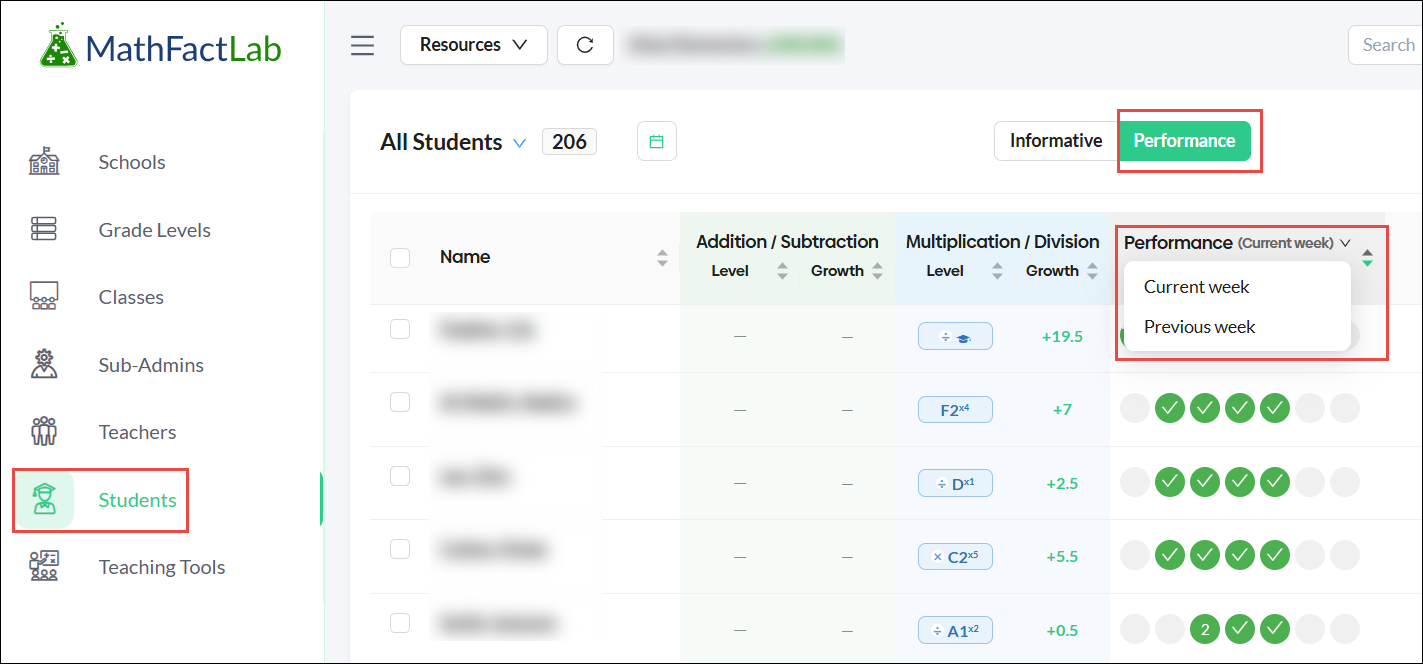
Simplify the Performance View
Teachers can now show or hide columns in the Performance view of the Students tab. In the Settings menu, checkboxes allow users to choose which of the six columns are displayed.
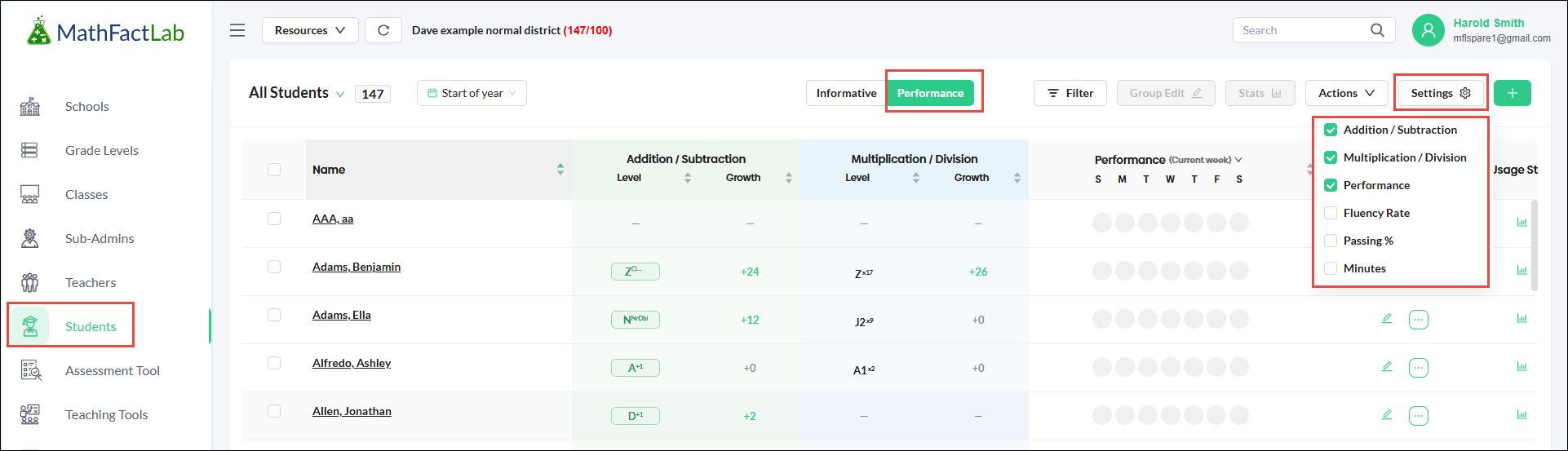
Student Level Details
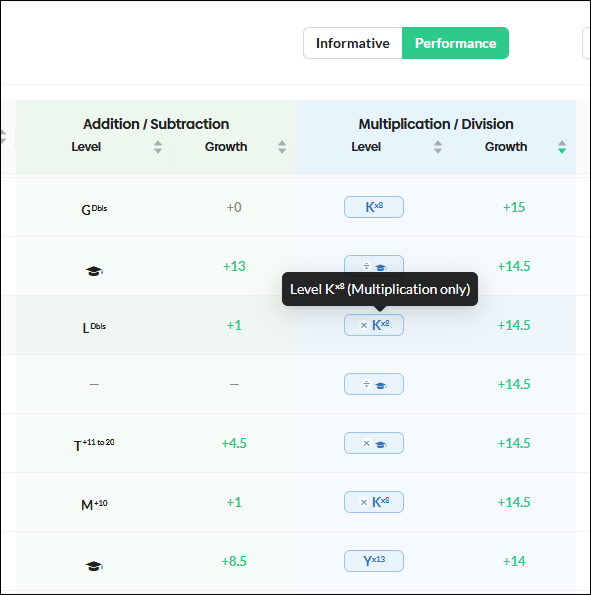
The level letter inside an oval indicates the learning mode where the student is currently working: addition and subtraction or multiplication and division.
Each level letter now includes a superscript identifying the fact family for that level. Hover over the level to see a larger, easier-to-read pop-up with additional details.
When an operation symbol appears before the level letter, the student has mastered the inverse operation and is now working on the operation shown. For example, the pop-up in the screenshot below indicates that the student is working at Level K on the 8s fact family. The student has mastered division and is now working on multiplication.
Progress Monitoring Tool
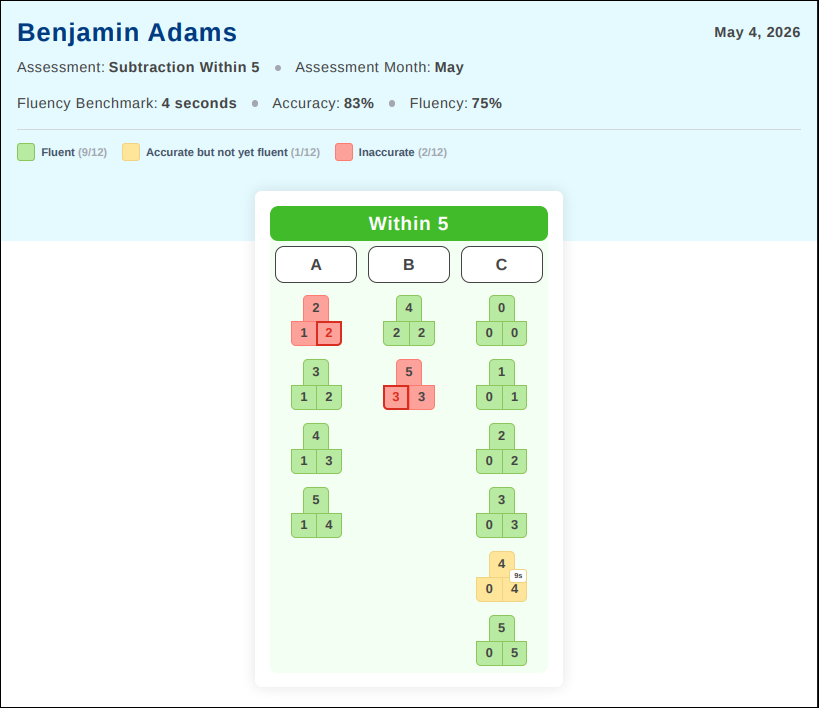
The Progress Monitoring Tool provides the opportunity to assess student math fact fluency progress periodically throughout the school year. These assessments can be administered by teachers or administrators and can include individual students, classes, students in specific grade levels, or entire schools or districts.
Notifications
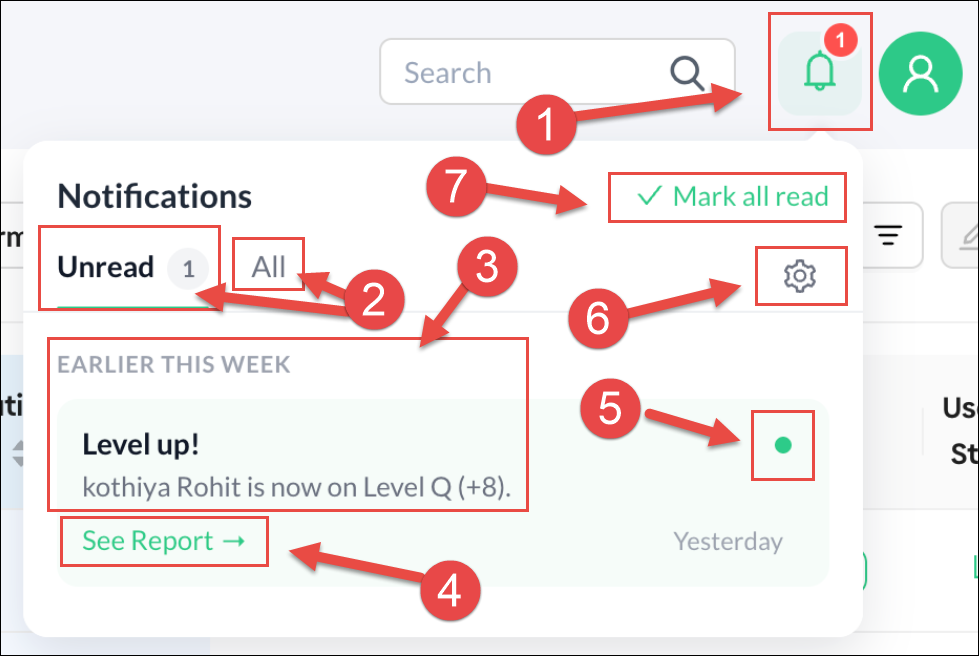
Teachers now have notifications when students attempt Level Lifter Assessments and see if those students were successful or not. Below is a screenshot of a notification informing a teacher that a specific student passed a Level Lifter and is now on the next level. Below is an explanation of the Notification window:
- This is the Notification Alert icon with the number of notifications in red
- Teachers have the option to just see All notifications or just those that are Unread.
- Both successful and unsuccessful Level Lifter attempts will be listed.
- A link is available for viewing the complete Level Lifter report.
- This green dot allows you to remove a notification you have viewed.
- This icon opens the Settings options.
- This link will mark all unread notifications as read.
Below are the Notification Settings options. You can choose to only get notifications if a student has successfully passed a Level Lifter assessment, failed to pass a Level Lifter, or both. You can also turn off notifications completely.

Going forward, we plan to make other notifications available, such as letting teachers know if a student has not progressed to a new level after having completed a significant number of sessions.
Checkmark Challenge
The Checkmark Challenge provides an added incentive that many students will enjoy. The challenge enables students to collaborate with their classmates to achieve goals, compete against other groups or classes, and demonstrate the progress they have made in their math fact fluency.